
1
Upload a source
A PDF, a Markdown file, or plain notes become the ground truth for every lesson Canopy generates.
Upload documentation, papers, or notes. Canopy generates a source-grounded course: lessons, exercises, and tests cited back to the material they came from. It reshapes your route as you learn, without ever rewriting what you have already completed.
Open your coursesA PDF, a Markdown file, or plain notes become the ground truth for every lesson Canopy generates.
A canonical concept map of lessons and coding exercises, each one citing the section it was grounded in.
A code editor and terminal run each exercise in the browser. Run tests freely while you work, then submit when you are ready for it to count.
Struggle on a concept and Canopy inserts a targeted refresher; move fast and it keeps pace. Every change is visible and explained, never silent.
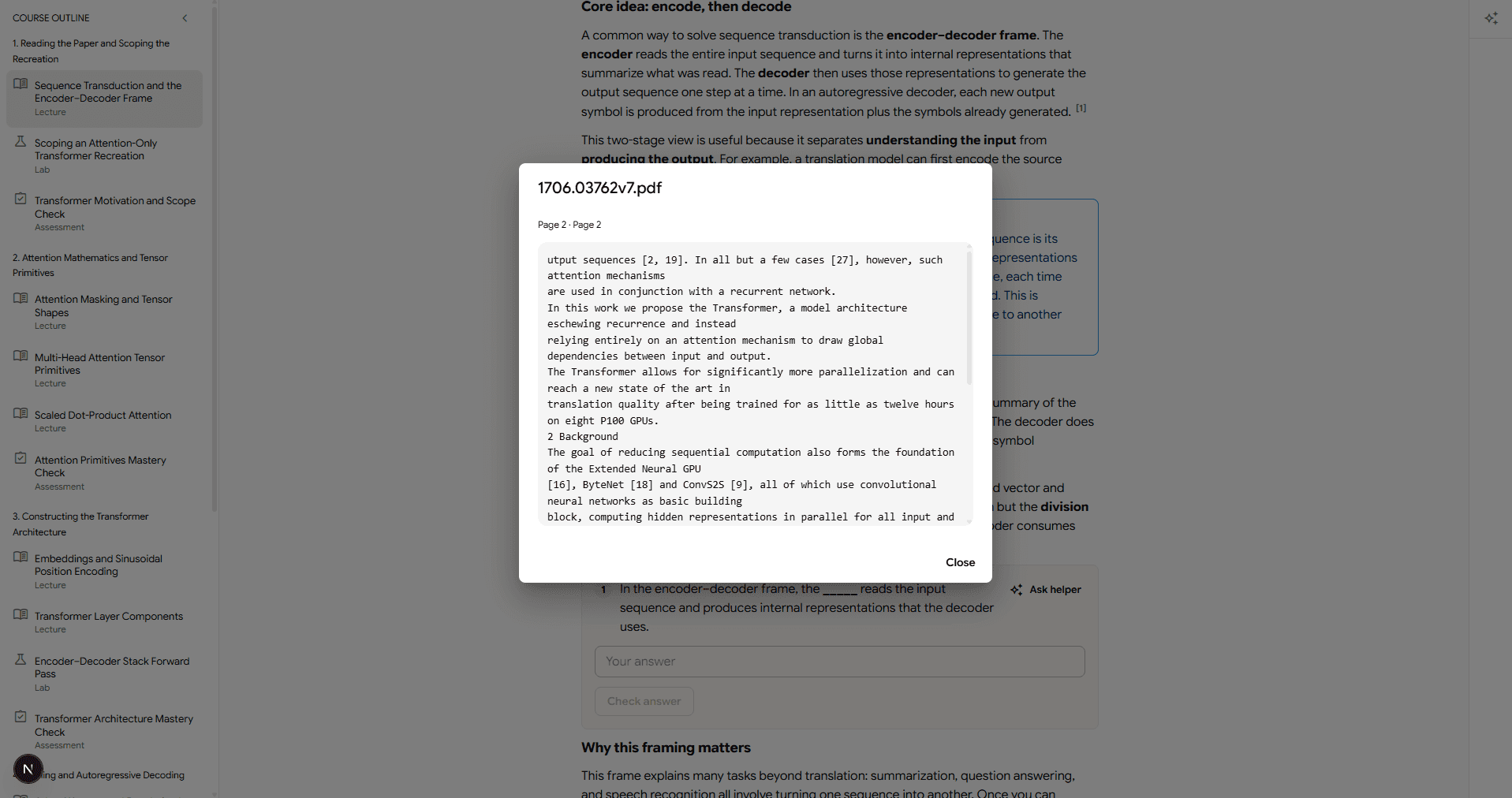
Citations open the original source at the relevant passage, so explanations stay verifiable and your material remains the ground truth.
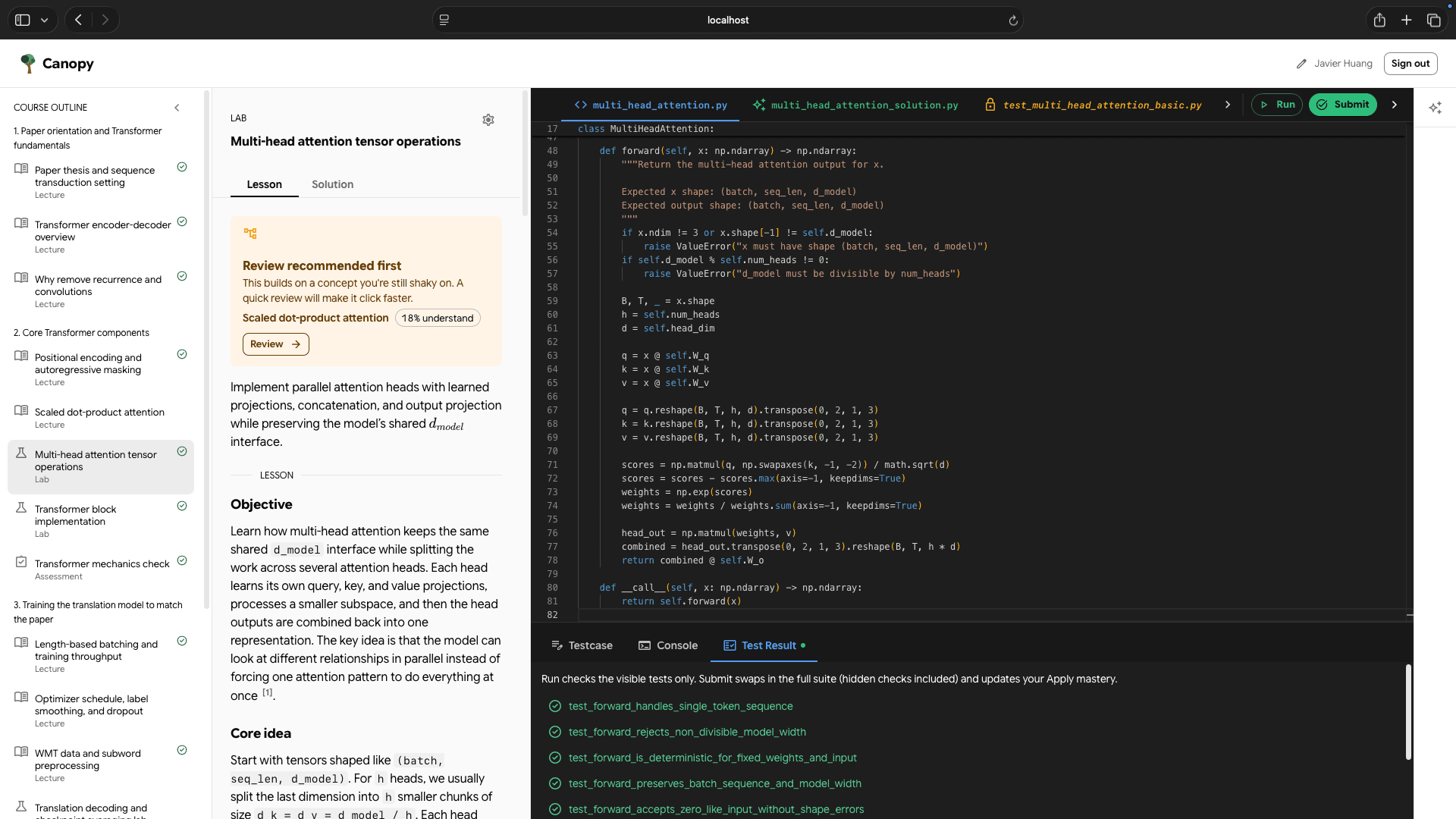
Each lab opens an editor and a test runner in the browser. Run the visible checks as often as you like while you work, then submit when you want the full suite to count.
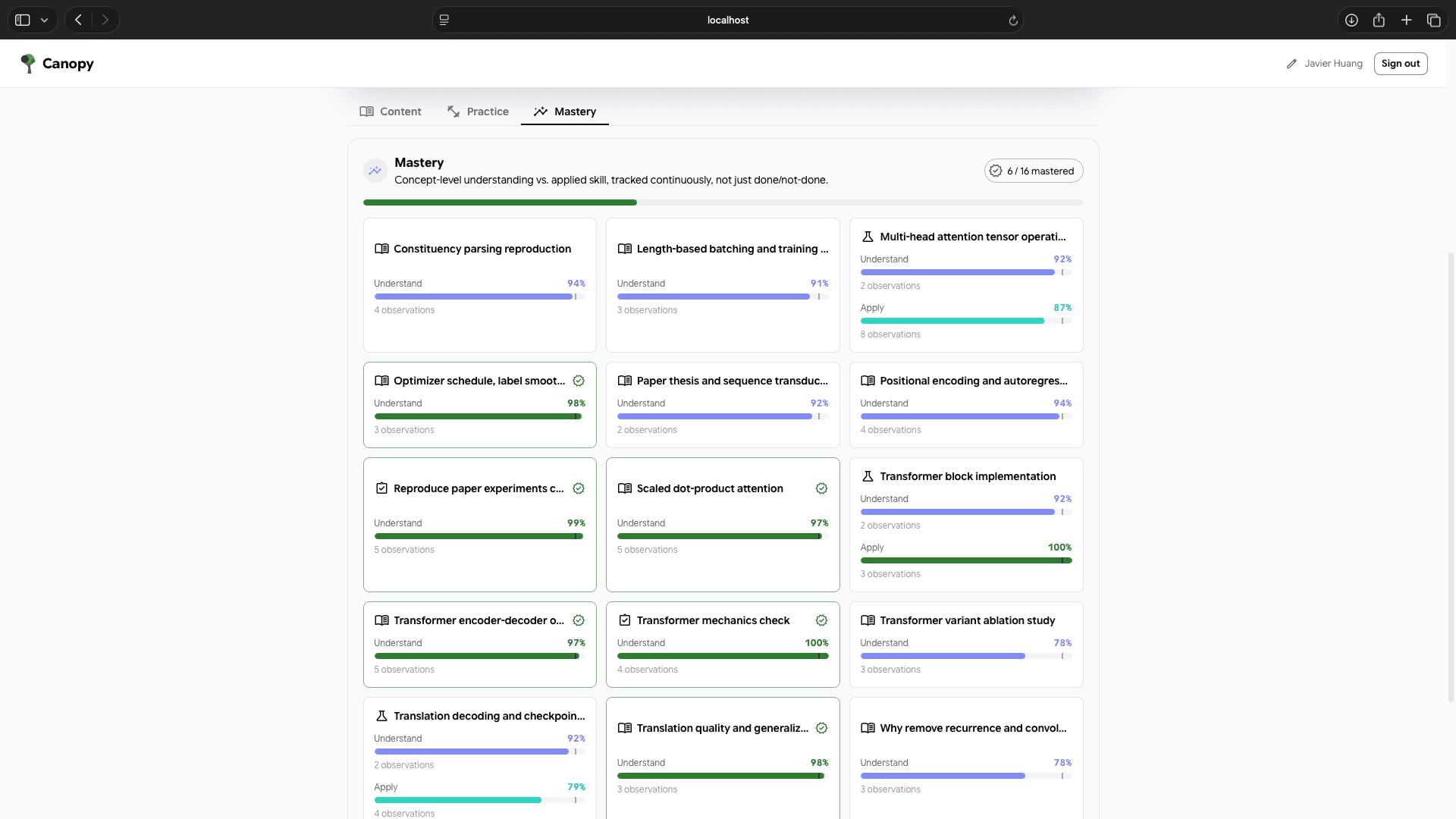
Every concept is tracked on two axes and updated from what you actually answer and submit, so progress reflects real understanding rather than how many pages you clicked through.